Support Ticket System for eCommerce: What to Look For

A support ticket system turns every customer message into a tracked ticket with an owner, a status and a deadline. For an online seller, the ticket also needs the order behind it and the reply clock of the marketplace it came from. This guide follows one order query from Amazon, eBay or your webstore to resolution, and covers what to look for at each step.
TL;DR
Order data belongs in the ticket. Order number, items, tracking and past messages should sit next to every reply.
Priority follows the marketplace clock. Amazon asks for replies within 24 hours; Walmart measures replies within 48 hours.
AI closes the routine tickets. Order status and returns policy questions can be resolved without an agent, with a clean handoff when needed.
How an eCommerce ticket moves from message to resolution
A message arrives from Amazon, eBay, your Shopify store, email or chat and becomes a ticket, matched to the customer and the order.
The ticket is tagged by intent (order status, return, damaged item, pre-sales) and by channel.
It is prioritized by its reply deadline and assigned to an agent, a team or AI.
The agent or AI replies using the order data in the ticket, and takes any order action, such as a refund.
The reply goes back through the channel it came from, so marketplace threads stay complete.
The ticket closes, a satisfaction survey goes out, and the result feeds reporting.
How tickets are prioritized
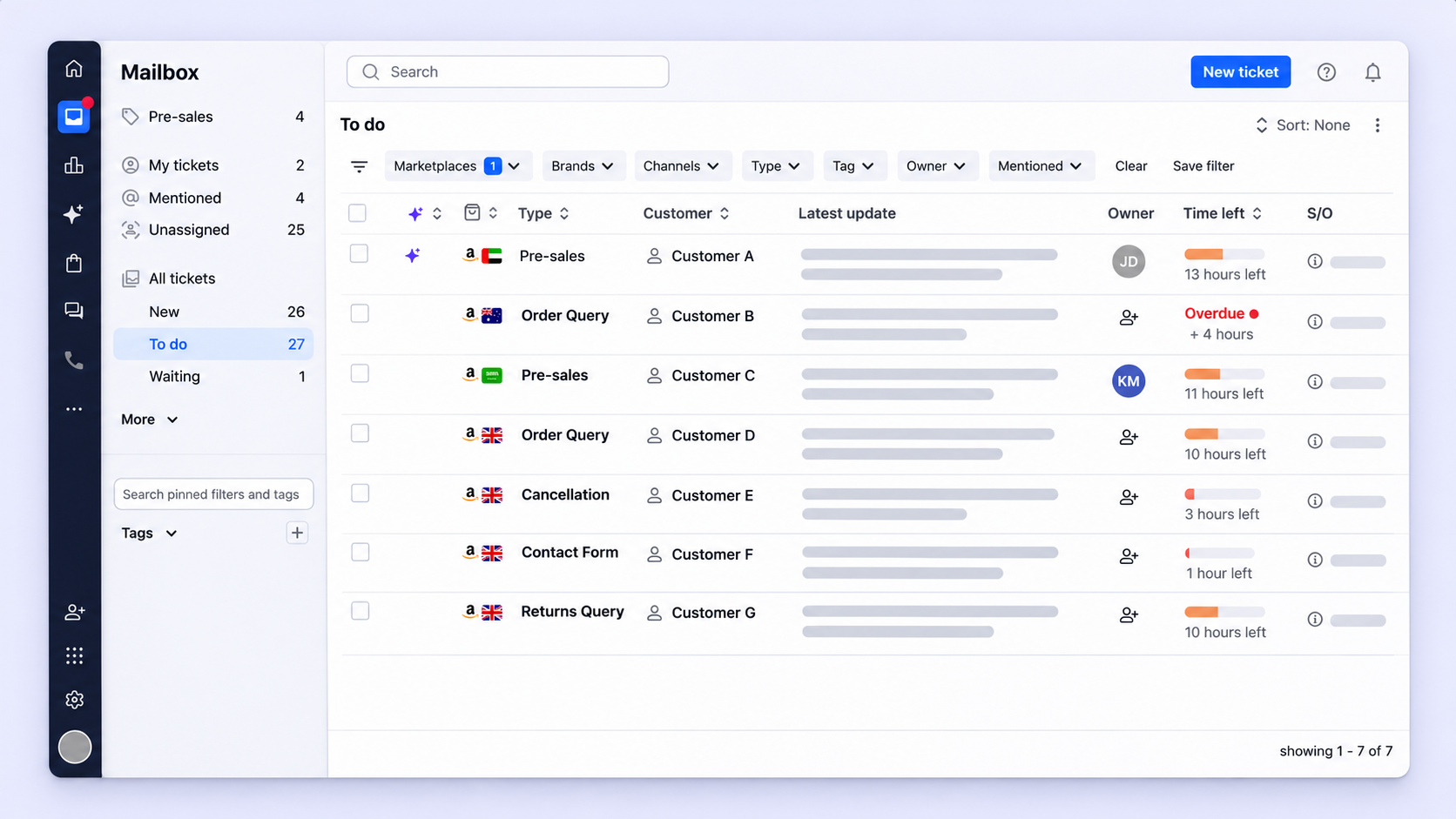
Rank tickets by the criteria that protect your accounts and revenue: time left on the reply deadline, order value, customer sentiment, whether the customer has contacted you before, and the marketplace. Marketplace clocks come first: Amazon asks sellers to reply within 24 hours, weekends included, and Walmart expects a Seller Response Rate of 95% within 48 hours. In eDesk, SLA timers can be set per marketplace, store or messaging channel on the Growth plan and above.
 What sellers report after moving to a ticket system
CarParts.com answered buyers inside each marketplace, across multiple windows and accounts. After six months on eDesk, it reported a 10.3% reduction in ticket handle time and 12.1% more emails handled daily.
Q-Parts24 had a legacy system that did not save files, so agents asked customers the same questions twice. With one searchable view of each buyer, its support team grew from one person to seven, each handling about 50 tickets a day.
Pertemba Global reached 97.6% SLA compliance within 24 hours during peak season, using templates and auto-translation across marketplaces.
Book a Free Demo to follow one of your own orders from message to resolution.
What an eCommerce support ticket system should do
Show the order inside the ticket
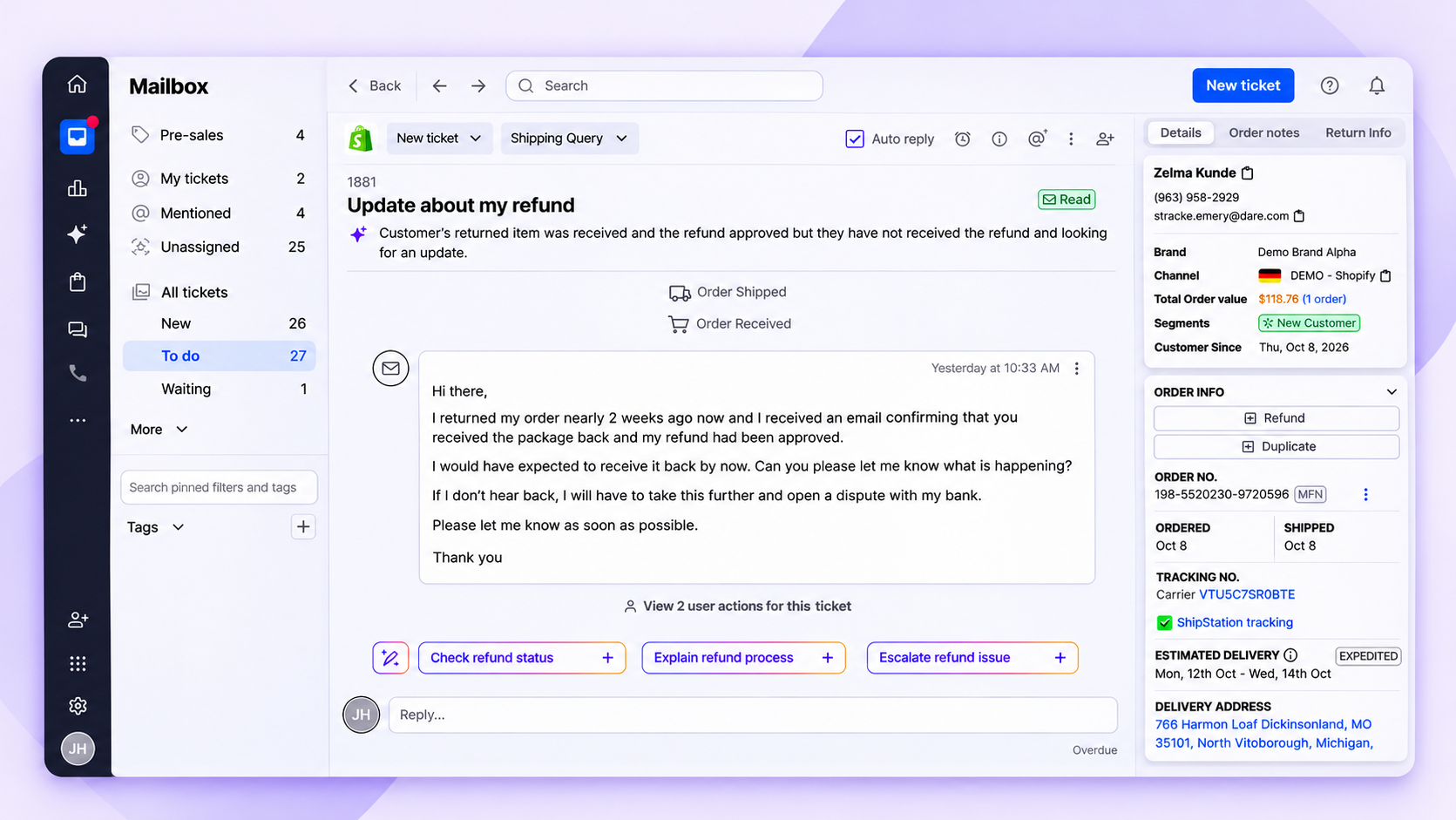
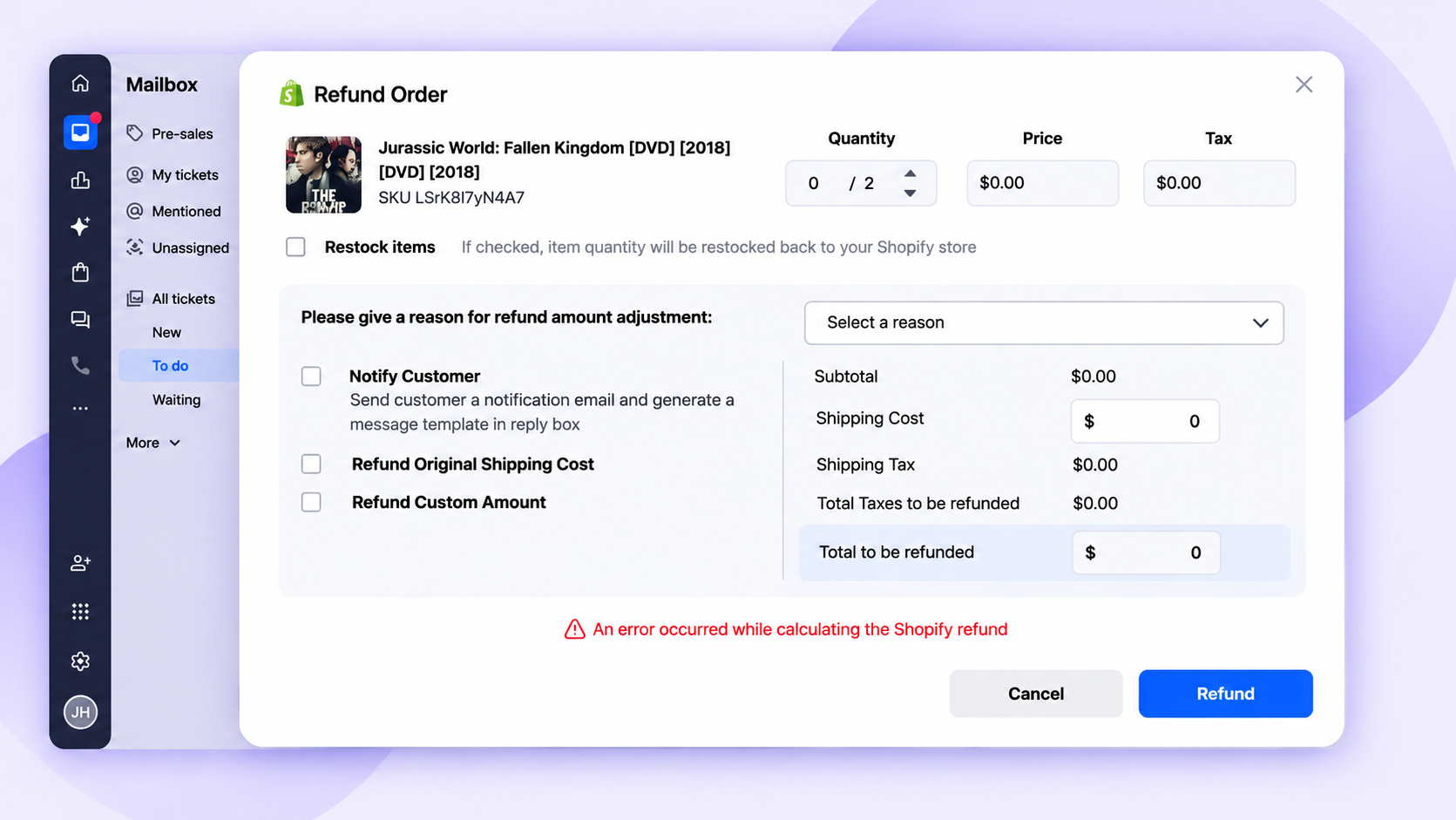
A generic help desk shows the message. An eCommerce support ticket system also shows the order: order number, items, order value, order and ship dates, carrier and tracking number, estimated delivery, delivery address, and the customer's previous tickets across every channel. With that in view, the first reply can answer the question instead of asking for an order number. On connected stores, agents can also refund, cancel or edit the order from the ticket.
 Let AI resolve the routine tickets
Order status, tracking and returns-policy questions can be closed by AI that reads live order data. When a question falls outside your procedures, the AI should hand the ticket to an agent with the conversation and order attached, so the customer never repeats themselves. Start with one ticket type, check a sample of AI replies each week, and widen the scope as the results hold. eDesk's AI Agent works this way, using confidence thresholds and escalating to a person when uncertain, and is charged at $0.99 per resolved ticket. Refunds above your limits, chargebacks and marketplace disputes should always route to the person authorized to decide them.
Report the numbers that matter
Look for reports on first response time, resolution time, ticket volume by channel, agent workload and CSAT. Break each down by marketplace, because a healthy average can hide one channel that is falling behind. Add tickets per order and the top contact reasons, so product, listing and delivery problems reach the team that can fix them. In eDesk, performance reporting and CSAT surveys are on the Growth plan and above; see pricing for each plan.
Moving from a shared inbox to a ticket system
Forward your support email address to the ticket system.
Connect each marketplace and store so messages and orders sync.
Set up tags, saved replies and reply timers per channel.
Give each agent a login and role, with no shared passwords.
Run the old inbox and the new system side by side for a week, then switch over.
Publish answers to shipping and returns questions in a help center or FAQ, and link them from order emails. Every question a customer answers for themselves is a ticket that never enters the queue. Agents can also add those same articles to replies, so the answer is identical whether the customer reads it or asks for it. Review the articles monthly against your top ticket reasons.
 Choosing your support ticket system
List every channel you sell on and the reply rules each one sets. Then test each support ticket system with a real order query from each channel: does the order appear in the ticket, does the right timer start, can the agent refund from the ticket, and does the reply post back to the marketplace? The system that passes all four is the one to shortlist. Our eCommerce help desk software guide compares six platforms, and our Zendesk and Gorgias comparisons cover two common alternatives.
Frequently asked questions
1. What is a support ticket system?
A support ticket system is software that turns customer messages from email, chat, social and marketplaces into tickets with an owner, status and deadline, so nothing is missed or answered twice.
2. What is the best support ticket system?
For an online seller, the best support ticket system shows order data in every ticket, runs reply timers per marketplace, lets agents act on orders, and posts replies back to the marketplace thread.
3. What are the best support ticket system tools?
Compare tools on channel coverage, order integration, marketplace reply timers, AI pricing and reporting. Our eCommerce help desk software guide compares six platforms on these points.
4. What is the difference between a ticket system and a CRM?
A ticket system manages support conversations and their deadlines. A CRM manages customer records and sales activity. eCommerce ticket systems often show order and customer history inside the ticket.
5. Can AI resolve tickets without agents?
Yes, for routine questions such as order status and returns policy, when the AI reads live order data. Disputes, refunds above your limits and complaints should go to a person.
Key takeaways
An eCommerce support ticket system needs the order in every ticket, not just the message.
Prioritize by reply deadline first: Amazon 24 hours, Walmart 48 hours.
Let AI close order-status and policy tickets, with a clean handoff to agents.
Report first response time, resolution time and CSAT by channel.
Test each system with a real order query from every channel you sell on.
Start for free and connect your marketplaces and store in one support ticket system.
Author:
