How to Create a FAQ Page That Actually Reduces Tickets

Learning how to create a FAQ page that reduces tickets starts with your own support data, not a list of questions you think customers ask. The best FAQ answers the questions your team answers every day, in the words customers use, at the moment they need it. This guide covers which questions to include, how to write and lay out the answers, and what to do for marketplace buyers who never see your site.
TL;DR
Pick questions from tickets. Export 90 days of support messages and rank question types by volume.
Answer in the first sentence. Keep answers to 2 or 3 sentences, with exact days, amounts and links.
Reuse every answer. The same answers can power saved replies, listings and your chatbot, which matters most for marketplace buyers.
What your FAQ page should answer
Before you decide how to create a FAQ page, separate it from a help center. Use this rule of thumb: if a question can be answered in 2 or 3 sentences, it goes on the FAQ. If it needs steps, screenshots or several cases, it gets its own help article, and the FAQ links to it.
Group | Starter questions |
| Orders and tracking | How do I track my order? Can I change my order? Can I cancel my order? Why is my order not shipped yet? How do I find my order number? Can I add items after ordering? |
| Shipping and delivery | How long does delivery take? How much is shipping? Do you ship internationally? Will I pay duties or import taxes? What if I'm not home? Do you deliver on weekends? |
| Returns and refunds | What is your returns window? How do I start a return? Who pays return postage? When will I get my refund? Can I exchange an item? What if my item is damaged? |
| Products | How do I choose a size? Is this compatible with my model? How do I care for it? Is it back in stock soon? What is it made of? Does it come with a warranty? |
| Payment and pricing | Which payment methods do you take? Is my payment secure? Do you offer discount codes? Why was I charged twice? Can I get an invoice? Do prices include tax? |
| Account and contact | Do I need an account to order? How do I reset my password? How do I contact you? What are your support hours? |
Place answers where the question comes up: header and footer links, a product-page FAQ block (sizing, compatibility, care), a cart and checkout note (shipping, delivery, returns), and links in order emails.
Marketplace buyers never see your FAQ
A buyer on Amazon or eBay asks the marketplace, not your site. Put the key answers in the listing itself (sizing, compatibility, what is included) and in saved replies for agents. Do not rely on linking to your FAQ: Amazon only allows external links in buyer messages when they are secure and needed to complete the order.
Book a Free Demo to see FAQ answers used as saved replies across your store and marketplaces.
How to create a FAQ page in 6 steps
Here is how to create a FAQ page from your own support data:
Pick the questions. Export 90 days of tickets, group them by intent and rank by volume. Add on-site searches that returned no results.
Group them by order stage: before you buy, after you buy, returns.
Write the answers. Answer in the first sentence, keep to 2 or 3 sentences, and use exact numbers.
Design for scanning: a search bar at the top, category jump links, most-asked questions first, and an accordion once you pass about 10 questions.
Publish it. On Shopify, go to Online Store > Pages, click Add page, add a title and content, and save. Then add the page to a menu so shoppers can find it.
Measure it. Track tickets per order and the question types that keep arriving.
Before: "We want you to love your purchase, and if for any reason you don't, our friendly team is happy to help with returns." After: "You can return unworn items within 30 days of delivery. Start a return from your order page; return postage is free."
Before: "Delivery times vary depending on your location." After: "UK orders arrive in 2 to 3 working days. EU orders take 4 to 6 working days."
The returns window and delivery times above are examples. Use your own policy.
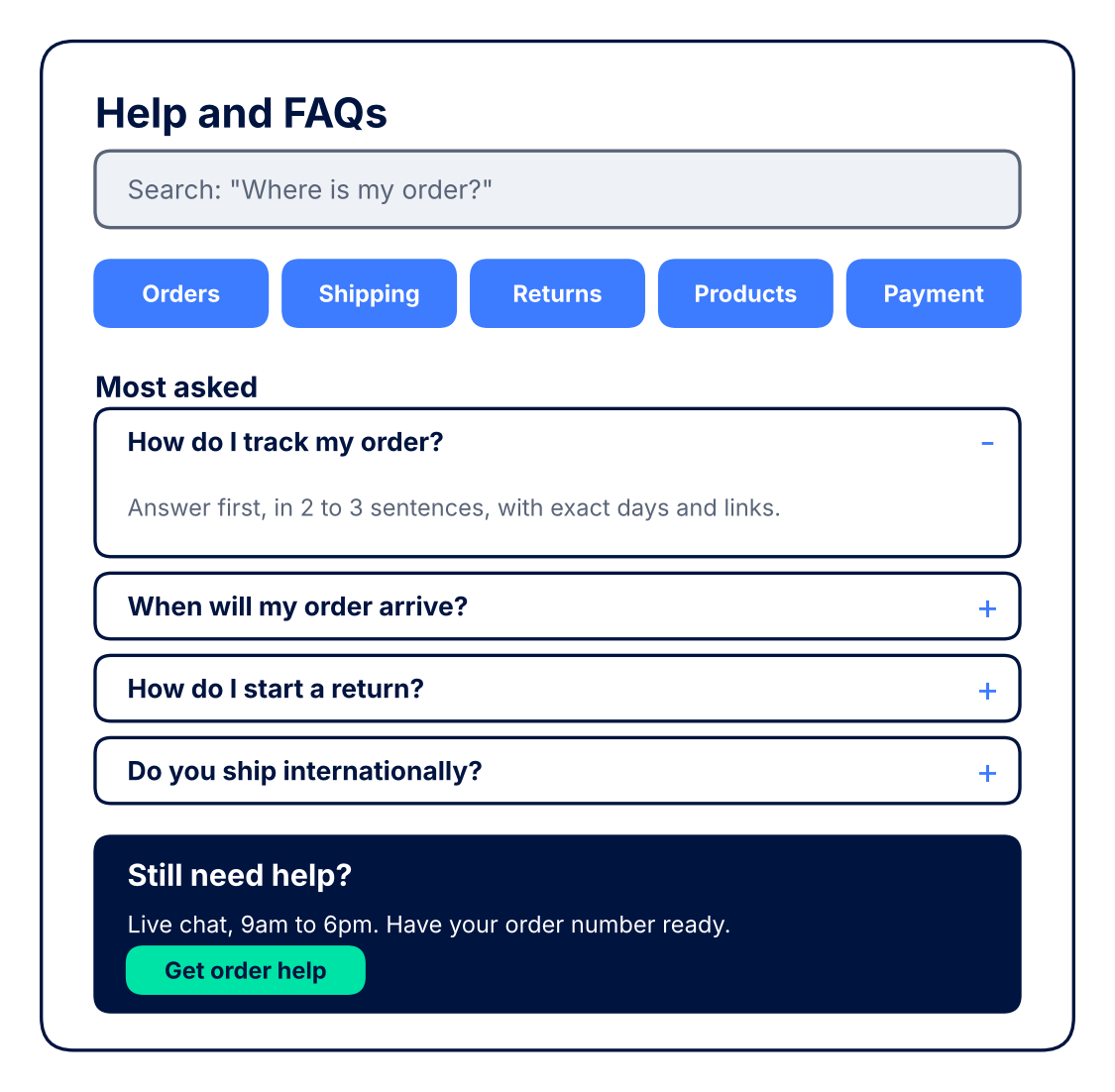 End each category with a "Still need help?" prompt, keep a contact link in the sticky navigation, and show your chat hours next to the chat button.
FAQ SEO and schema: what still works
FAQPage markup is JSON-LD that labels each question and answer on a page. Google stopped showing FAQ rich results in Search from 7 May 2026, so the markup no longer earns an expanded result there. It is still valid structured data. When you work out how to create a FAQ page today, the bigger win is plain: one question per heading, a direct answer below it, and text that is visible on the page.
{ "@context": "https://schema.org", "@type": "FAQPage",
"mainEntity": [{ "@type": "Question", "name": "How long does delivery take?",
"acceptedAnswer": { "@type": "Answer", "text": "UK orders arrive in 2 to 3 working days." } }] }
Is it working?
Tickets avoided per month x cost per ticket, minus the time spent writing and updating the page. For example, if the FAQ removes 300 tickets a month that each take 8 minutes, it frees 40 agent hours. Take off 10 hours of upkeep and the net gain is 30 hours a month. Multiply by your own hourly cost. Our guide to tracking customer service metrics shows how to measure tickets per order.
Keep it accurate and reuse every answer
Knowing how to create a FAQ page is half the job. Keeping it accurate is the other half. Give the FAQ a named owner. Review new ticket types and zero-result searches monthly, do a full review each quarter, and update it straight away when a policy, carrier or price changes, or before peak season.
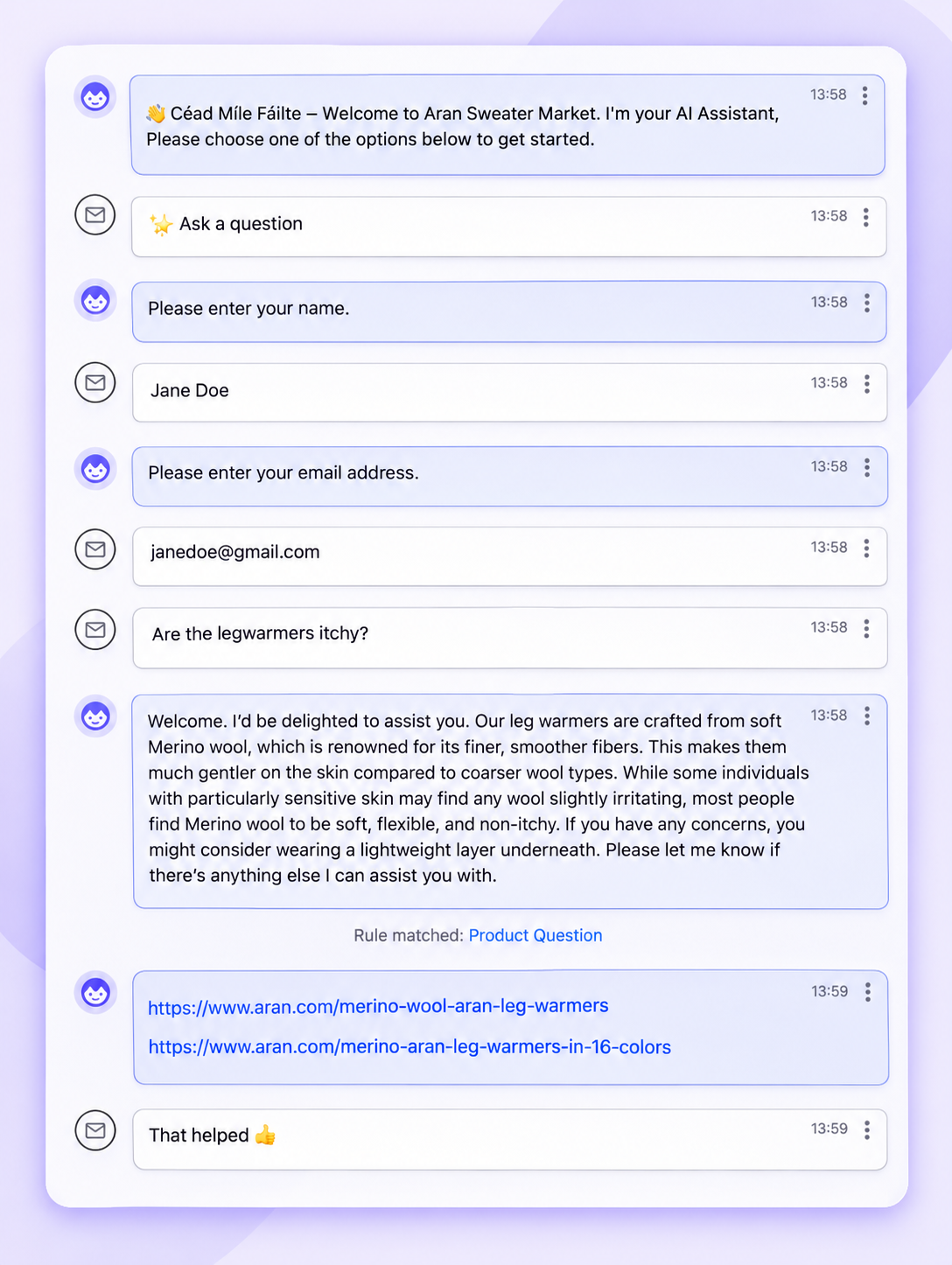
Then reuse each answer in three places: as saved replies for agents, in your knowledge base so agents can search and add an article to a reply, and as the source your chatbot or AI Agent answers from. When the FAQ changes, every channel changes with it.
 Key takeaways
When planning how to create a FAQ page, choose questions from 90 days of tickets and zero-result searches.
Keep short answers on the FAQ and longer how-tos in your help center.
Answer in the first sentence, with exact numbers and links.
Google no longer shows FAQ rich results; write for readers first.
Reuse answers in listings, saved replies and AI, so marketplace buyers get them too.
Start for free and turn your FAQ answers into saved replies across every channel.
Where to start
Export last quarter's tickets this week and pick the 20 questions that come up most. Write each answer in 2 or 3 sentences with exact numbers, group them by order stage, and publish the page with a search bar and a contact block. Load the same answers as saved replies and into your marketplace listings. Then check tickets per order after a month. That is how to create a FAQ page that keeps earning its place. For the wider plan, see our customer service strategy guide.
Frequently asked questions
1. What should you put on a FAQ page?
Put the questions your support team answers most, grouped by orders, shipping, returns, products, payment and contact. Each answer should be 2 or 3 sentences with exact days, amounts and links.
2. How do you add a FAQ page on Shopify?
In your Shopify admin, go to Online Store \> Pages, click Add page, enter a title and content, and save. Then add the page to your store's navigation menu.
3. What questions should I include on my FAQ page?
Start with your top 20 ticket types from the last 90 days, plus on-site searches that returned no results. Tracking, delivery times, returns and sizing usually lead.
4. What makes a good FAQ page?
It answers real questions in the first sentence, is easy to search and scan, shows the most-asked questions first, and offers a clear way to contact you.
5. Does FAQ schema still help SEO?
Google stopped showing FAQ rich results in Search in May 2026. The markup is still valid, but clear questions and visible answers matter more.
Author:
