How to Reduce Shopping Cart Abandonment in 2026: 7 Data-Backed Fixes That Work
)
If you sell online, you already know this feeling. A shopper browses your store, adds a product to the cart, gets all the way to checkout, and then vanishes. No order. No revenue. We see this pattern with eCommerce sellers every single day. And the data confirms what most of us suspect: it happens far more often than anyone would like.
This guide breaks down the latest cart abandonment statistics for 2026, explains why shoppers leave, and gives you seven tested ways to bring them back. We also cover how the right customer support tools (including eDesk) fit into a strong cart recovery strategy.
What is shopping cart abandonment?
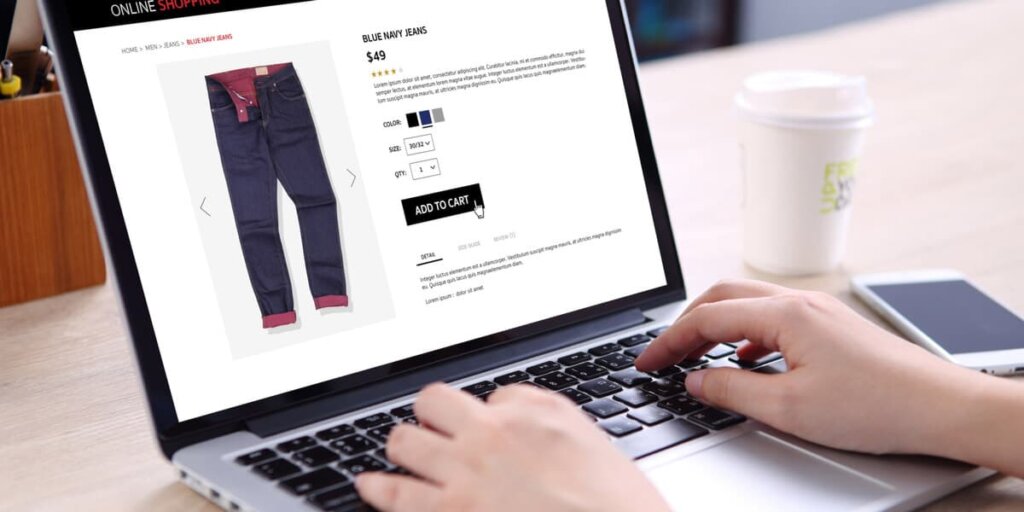
Shopping cart abandonment happens when a shopper adds items to their online cart but leaves the site before completing the purchase. The shopper showed clear buying intent. Something stopped them from finishing.
Every abandoned cart represents lost revenue and wasted ad spend. If you paid to bring that visitor to your store through paid ads, SEO, or social, the money spent on acquisition goes nowhere when the cart is left behind.
Here is the formula to calculate your store’s cart abandonment rate:
Cart Abandonment Rate = (1 – Completed Sales / Carts Created) x 100
Most eCommerce platforms like Shopify, BigCommerce, and WooCommerce track this metric in their dashboards. Google Analytics also reports on checkout funnel drop-offs.
What is the average shopping cart abandonment rate in 2026?
The average cart abandonment rate across all eCommerce sites is 70.22%, based on an analysis of 50 studies. That means roughly 7 out of every 10 shoppers who add products to a cart will leave without buying.
This rate has stayed consistently high for over a decade. In 2006, it sat at 59.8%. By 2012, it peaked at 72%. Since 2014, it has hovered around 70%, despite major advances in checkout design and payment technology.
Here are the key numbers to know:
Average global cart abandonment rate: 70.22%
Mobile abandonment rate: 80.02%
Desktop abandonment rate: 66.41%
Annual lost revenue from cart abandonment: approximately $18 billion
Recoverable revenue through better checkout design: $260 billion in the US and EU
Cart abandonment rates by device
Mobile shoppers abandon carts at significantly higher rates than desktop users. The gap is around 14 percentage points. Poor mobile design, small form fields, and slow load times on phones drive this difference.
More than 58% of all eCommerce traffic now comes from mobile devices. If your mobile checkout experience is slow or clunky, you are losing a large share of potential sales.
Why do online shoppers abandon their carts?
Not every abandoned cart signals a lost sale. Baymard Institute found that 43% of US online shoppers who abandoned a cart said they were “just browsing” and not ready to buy. This segment is nearly impossible to convert through checkout improvements alone.
The remaining reasons are fixable. Here is the breakdown of the top reasons shoppers abandon carts, excluding the “just browsing” group:
Extra costs too high (shipping, tax, fees): 48%
Forced account creation required: 26%
No trust in site with credit card information: 25%
Delivery too slow: 23%
Too long or complicated checkout process: 22%
Unable to see or calculate total order cost upfront: 21%
Returns policy was unsatisfactory: 18%
Website had errors or crashed: 17%
Not enough payment methods: 13%
Credit card was declined: 9%
Most of these problems come down to three themes: hidden costs, unnecessary friction, and lack of trust. Address those three, and your abandonment rate will drop.
How do you reduce shopping cart abandonment?
Below are seven strategies backed by research and real results. Each one targets a specific reason shoppers leave.
1. Show all costs upfront, including shipping and taxes
Unexpected costs at checkout are the number one reason shoppers abandon carts. 48% of shoppers leave when extra charges appear late in the process.
What to do:
Display estimated shipping costs on the product page or early in the cart
Show tax calculations before the final checkout step
Offer free shipping thresholds (e.g., “Free shipping on orders over $50”)
Be transparent about handling fees, duties, or any other add-ons
Retailers who display shipping and taxes earlier in the checkout funnel reduce abandonment by up to 15%.
2. Enable guest checkout and reduce form fields
26% of shoppers abandon carts when forced to create an account. And 22% leave because the checkout process is too long or complicated.
Baymard Institute’s research shows the average US checkout flow contains 23.48 form elements. The ideal number is 12 to 14 elements, or 7 to 8 form fields (Baymard Institute, 2025). Most stores ask for far more than they need.
What to do:
Always offer a guest checkout option
Remove unnecessary form fields (do you need a phone number or date of birth?)
Use auto-fill for address and payment data
Add a progress bar so shoppers see how many steps remain
Consider single-page checkout for faster completion
Sites using one-page checkouts or express payment options see conversion rates up to 21% higher than standard multi-step checkouts (Cropink, 2025).

Pro tip: Combine payment options with eCommerce help desk software to resolve checkout concerns fast.
3. Build trust with security badges and clear return policies
25% of online shoppers abandon carts because they don’t trust the site with their credit card details. Trust is earned through visual cues and clear policies.
What to do:
Display SSL certificates and trust badges (Norton, McAfee, PayPal Verified)
Show accepted payment icons (Visa, Mastercard, PayPal, Apple Pay)
Feature customer reviews near the checkout
Publish a clear, easy-to-find return and refund policy
Add live chat to answer security concerns in real time
Trust badges and clear return policies reduce cart abandonment by up to 28% (Cropink, 2025).
4. Optimize your mobile checkout experience
With mobile cart abandonment rates exceeding 80%, mobile optimization is not optional. It is a revenue priority.
The problem goes beyond responsive design. Small tap targets, excessive typing, and slow page loads create enough frustration to push mobile shoppers away.
What to do:
Build mobile-first, not only mobile-friendly
Simplify forms by reducing required fields on small screens
Use large, tappable buttons for CTAs
Integrate mobile wallet payments (Apple Pay, Google Pay, Shop Pay)
Keep page load times under 3 seconds (sites that load in under 2 seconds see 30% lower abandonment)
Consider building a mobile app for high-frequency buyers (mobile app checkouts see 32% less abandonment than mobile web)
5. Offer multiple payment methods, including Buy Now, Pay Later
13% of shoppers abandon carts when their preferred payment method is not available. Payment flexibility matters more now than in previous years, with digital wallets and BNPL gaining mainstream adoption.
What to do:
Accept credit cards, debit cards, PayPal, Apple Pay, Google Pay, and Shop Pay
Add a Buy Now, Pay Later option through Klarna, Afterpay, or Affirm (brands offering BNPL report a 2.1% average increase in conversion rates)
Localize payment options for international customers
Ensure payment pages load quickly and feel secure
6. Use data and testing to find your specific drop-off points
Generic advice only goes so far. Your store has unique friction points that require specific fixes.
What to do:
Set up Google Analytics funnel reports to see where shoppers exit
Use heatmaps (Hotjar, Crazy Egg) to track where users click, scroll, and hesitate
Run A/B tests on CTAs, page layouts, form lengths, and button placements
Deploy exit-intent surveys to ask abandoning shoppers why they are leaving
Review customer support metrics to identify recurring complaints about checkout
A/B testing alone leads to a 25% improvement in conversion rates when applied to cart recovery elements.
7. Provide real-time customer support during checkout
Many shoppers have questions right before they buy. What is the return policy? When will the order arrive? Is this the right size? If no one is available to answer, they leave.
Live chat and messaging support during checkout directly reduce drop-off. Shoppers who get a question answered in real time are far more likely to complete their purchase.
What to do:
Add live chat or a chatbot to your checkout pages
Offer support through WhatsApp, Facebook Messenger, or Instagram DMs
Use eCommerce automation to handle common pre-sale questions (shipping times, return windows, product specs)
Make sure agents have full order context so they resolve issues quickly
eDesk brings all these channels together in a single inbox, letting your team respond to pre-checkout questions fast, across every marketplace and webstore. Learn more about eDesk’s AI-powered support.
How do abandoned cart recovery emails work?
Even with a fully optimized checkout, some abandonment will still happen. Cart recovery emails bring those shoppers back.
The numbers are strong. Cart abandonment emails achieve a 50.5% average open rate and a 10.7% average conversion rate. Campaigns using three emails in a sequence generate significantly more revenue than single-email campaigns.
Best practices for abandoned cart emails
Send the first email within 1 hour of abandonment
Follow up with a second email at 24 hours
Send a third and final email at 72 hours (include an incentive if appropriate)
Include a product image of the abandoned item
Write a clear, direct subject line (top-performing subject lines reach 70% open rates)
Add one strong call-to-action that links directly back to the cart
Personalize with the shopper’s name and the specific products they left behind
Use urgency messaging (“Only 3 left in stock” or “Your cart expires soon”)
Encourage shoppers to log in or provide an email address early in the checkout flow so you have the information needed to trigger recovery emails.
Popular tools for cart recovery email automation include Klaviyo, Omnisend, and Mailchimp.
How do remarketing ads recover abandoned carts?
Remarketing ads target users who visited your product pages or started checkout but did not buy. These ads appear across Facebook, Instagram, TikTok, and Google Display Network, reminding shoppers about the items they left behind.
Tips for effective remarketing campaigns
Use dynamic retargeting to show the exact product the shopper abandoned
Add a time-limited offer or free shipping incentive
Segment audiences based on how far they got in the checkout funnel (product page viewers vs. checkout starters)
Set frequency caps to avoid ad fatigue
Exclude converted buyers using burn pixels so they stop seeing ads after purchasing
Retargeting ads reduce cart abandonment by 6.5% and increase sales by up to 20%.
How does customer support reduce cart abandonment?
Pre-sale support is one of the most overlooked tools for reducing cart abandonment. Shoppers who have questions before buying need fast, helpful answers, or they leave.
For sellers on Amazon, eBay, Shopify, and other marketplaces, customer questions come from many channels at once. Managing these messages across separate inboxes slows response times and increases the chance of missed inquiries.
eDesk solves this by pulling messages from every sales channel into one smart inbox. Your team sees every customer question in context, with order details attached, and responds faster.
With eDesk, sellers:
Answer pre-sale questions before shoppers leave checkout
Resolve shipping, sizing, and return concerns in real time
Automate responses to common questions with AI
Meet marketplace SLA requirements to protect account health
Track support performance with built-in reporting and analytics
Bring Abandoned Carts Back to Life With eDesk
You now have seven specific, data-backed strategies to reduce shopping cart abandonment. From transparent pricing to faster checkouts, mobile optimization, and recovery emails, each tactic addresses a proven reason shoppers leave.
The common thread across all of these is customer experience. Shoppers who feel informed, supported, and secure at every step are the ones who complete their purchase.
eDesk makes this possible at scale. It centralizes support across all your eCommerce channels, gives your team instant access to order data, and uses AI to speed up responses for pre-sale and post-sale questions.
Book a demo to see how eDesk turns abandoned carts into completed orders.
FAQs
What is shopping cart abandonment?
Shopping cart abandonment occurs when an online shopper adds items to their cart but leaves the website before completing the purchase. The global average cart abandonment rate is 70.19%.
What is the biggest reason shoppers abandon their carts?
Unexpected extra costs at checkout, including shipping fees, taxes, and handling charges. 48% of shoppers cite this as their primary reason for leaving.
What is a good cart abandonment rate?
The global average is 70.19%. If your store’s rate is below 60%, you are performing well above average. Rates vary by industry, with grocery eCommerce seeing rates as low as 52% and luxury or jewelry stores reaching above 82%.
Do abandoned cart emails work?
Yes. Cart abandonment emails achieve a 50.5% average open rate and a 10.7% conversion rate. Sending a three-email sequence generates more revenue than a single email.
Why is mobile cart abandonment higher than desktop?
Mobile devices account for about 80% of cart abandonments versus 66% on desktop. Smaller screens, more typing, slower page loads, and less intuitive checkout forms all contribute to higher mobile drop-off rates.
How does live chat reduce cart abandonment?
Shoppers with unanswered pre-checkout questions often leave instead of searching for answers. Live chat and AI chatbots resolve concerns in real time, keeping the shopper on the checkout page. eDesk offers live chat integrated with a full eCommerce helpdesk for fast support.
How does eDesk help reduce shopping cart abandonment?
eDesk centralizes customer messages from Amazon, eBay, Shopify, and 250+ other channels into one inbox. This lets support teams answer pre-sale questions faster, resolve checkout concerns in real time, and use AI to automate responses. Fewer abandoned carts and more completed orders.
Author:
)